
STOP is handled for you.
Built-in opt-out handling
Check texting consent, record in-person stop requests, and handle STOP replies automatically. Saving a contact never grants permission to text.
No credit card needed. Included in every plan.
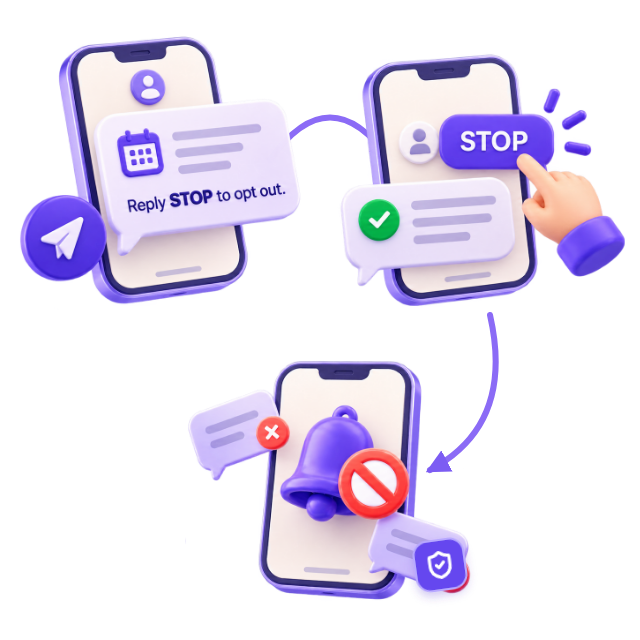
How it works
- 1Each reminder ends with “Reply STOP to opt out.”
- 2A client replies STOP and gets a confirmation.
- 3No more reminders go to that number until they reply START.
Why it helps
- Follows standard US texting rules without extra work.
- See consent status and record in-person requests with Stop texts.
- You get a notification when someone opts out or back in.
Common questions
What if I remove “Reply STOP to opt out” from my message?
NoShow AI adds it back automatically, because US texting rules require a way to opt out.
Does saving a phone number grant texting permission?
No. Texting needs a recorded consent. If a client asks your team to stop, use Stop texts. Record They agreed to texts only after they actually agree; a START reply does not undo a business-recorded stop request.
Can an opted-out client still confirm?
Yes. Their replies still update the appointment, but they won’t get any more reminders until they text START.
More features
See all featuresStop losing $500+ a month to empty chairs
Start your 14-day free trial today. Connect your calendar and your first reminders go out automatically.